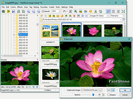
 FastStone
FastStone Photo Resizer
FastStone Photo Resizer is a free batch image converter and renaming tool for Windows — resize, crop, rotate, convert and watermark large numbers of photos in one pass, from the same makers as FastStone Image Viewer.
Version 4.5 · Free for personal and educational use · Windows
What it does
Where FastStone Image Viewer is built around browsing and editing single photos, Photo Resizer is built for volume. Point it at a folder, choose your settings once, and it applies them to every image — ideal for preparing photos for the web, email or a client hand-off.
- Batch resize: shrink or enlarge many images to a fixed size or percentage.
- Convert formats: move between JPEG, PNG, TIFF, BMP, GIF and more.
- Rename in bulk: apply patterns and sequential numbering.
- Crop and rotate: straighten and trim across a whole set.
- Change colour depth: reduce file size where full colour is not needed.
- Add text and watermarks: brand or caption every image automatically.
How a batch job works
The workflow is deliberately simple, which is why it handles hundreds of files without fuss:
- 1. Add images: pick a folder or select files and send them to the input list.
- 2. Set the actions: choose resize dimensions, output format, rename pattern and any effects.
- 3. Pick an output folder: keep originals untouched by saving to a new location.
- 4. Convert: run the batch and let it process the whole set in one pass.
Because the settings are defined once and applied to everything, a job that would take an age by hand — resizing a shoot of 300 photos for the web, say — is done in seconds.
Common uses
- Web and email: shrink large camera files down to a sensible size.
- Format conversion: turn a folder of HEIC or raw shots into universal JPEGs.
- Watermarking: stamp a logo or copyright line across a batch.
- Renaming: apply tidy sequential names to imported photos.
- Colour-depth reduction: cut file sizes where full colour is not needed.
- Print prep: crop and rotate a set to a consistent aspect ratio.
It reads and writes the same broad range of formats as the viewer — JPEG, PNG, TIFF, BMP, GIF and more — so it slots neatly into almost any photo workflow. For a full rundown of the formats and viewing tools, see the Image Viewer feature guide.
Photo Resizer or Image Viewer?
The two tools complement each other. Use FastStone Image Viewer for day-to-day browsing, viewing and one-off edits; use Photo Resizer when you need the same change applied to dozens or hundreds of files at once. Both are free for personal use and install cleanly with no bundled extras.
Photo Resizer is a small, focused download and runs on the same Windows versions as the viewer — 11, 10, 8.x, 7, Vista and XP. As always, get it from the official source; our safety guide explains why that matters and how to check.
Common questions
Is FastStone Photo Resizer free?
Yes, it is free for personal and educational use, like the Image Viewer. A licence is required for commercial use.
What can it do in batch?
It converts, renames, resizes, crops, rotates, changes colour depth and adds text or watermarks to many images in one pass.