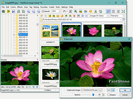
 FastStone
Download FastStone Image Viewer 8.5
To download FastStone Image Viewer you have three official options — a standard EXE installer, a ZIP installer, and a portable version that needs no installation. All are version 8.5, free for personal use, and link directly to the signed files on faststone.org.
Choose your download
Version 8.5 · Free for personal and educational use · A licence is required only for commercial use.
Which one should I get?
- EXE installer: the usual choice — a single file that installs the viewer and adds Start-menu shortcuts.
- ZIP installer: the same installer inside a ZIP, useful on networks that block downloading .exe files directly.
- Portable version: unpacks to any folder or USB stick and runs without installing — nothing is written to the registry.
System requirements
| Operating system | Windows 11, 10, 8.x, 7, Vista, XP (32- and 64-bit) |
|---|---|
| Disk space | A small footprint — comfortable even on older PCs |
| Licence | Free for personal & educational use; commercial licence available |
| Latest version | 8.5 |
There is no macOS or Linux build of FastStone Image Viewer. On those systems the portable version can sometimes be run through a Windows compatibility layer, but it is not officially supported.
Older versions
Version 8.5 is the current release and the one we recommend, because each update brings format support and stability fixes. FastStone Image Viewer has a long release history — earlier builds such as 7.x remain in circulation, but they lack newer format support (like HEIC and recent camera raw files) and no longer receive fixes.
If you specifically need an earlier build for an old system, install the current portable version first and test it — it runs on Windows XP and Vista as well, so an older release is rarely necessary. Always get any version through the official site to avoid tampered copies; see is FastStone safe for details.
Step-by-step installation
The standard EXE route is the simplest, and the whole thing is over in a minute:
- 1. Save the installer: click the EXE button above and let the official file download.
- 2. Run it: double-click the downloaded file and confirm the Windows prompt.
- 3. Accept the defaults: there are no bundled extras to opt out of — just click through.
- 4. Launch: open the program from the Start menu or desktop shortcut.
- 5. Set as default (optional): in Windows settings you can make it your default image viewer.
No licence key, account or internet connection is needed to use it after install. Everything runs locally on your PC.
The portable version in detail
The portable build is a favourite for people who move between computers or cannot install software. Unzip it to a USB stick or any folder and run the program directly — it leaves no entries in the Windows registry and writes its settings alongside the program files. That makes it easy to carry a fully configured viewer with you, or to try the program on a locked-down work machine without an install. Functionally it is identical to the installed version; only the way it is deployed differs.
Whichever build you choose, they are all the same version 8.5 and all pull from the official signed source. If you are unsure which is right, the EXE installer is the safe default for a normal home PC.
Keeping it up to date
FastStone releases updates periodically to add support for new camera raw files and image formats and to fix bugs. There is no background updater — you simply download the current installer when a new version appears and run it over your existing copy. Your preferences, associations and settings are preserved, so updating is painless. Bookmarking the download page or this guide is the easiest way to check you are on the latest 8.5 build.
After downloading
Run the installer (or unpack the portable ZIP) and open the program — no account or sign-up is needed. For what the viewer can actually do once it is open, see the feature guide, or read whether FastStone is safe and the FAQ for licensing and format questions.
Common questions
What is the difference between the installer and portable version?
The EXE installer sets the program up on your PC. The portable ZIP runs from any folder or USB stick without installing — handy where installs are restricted.
Is this the latest version?
Yes, version 8.5 is the current release. Older versions are covered on this page for reference, but 8.5 is recommended.