FastStone Image Viewer Download
Get the free FastStone Image Viewer — a fast, lightweight photo browser, converter and editor for Windows. Official installer, no bundled extras.
Version 8.5 · Free for personal and educational use · Windows 11, 10, 8, 7
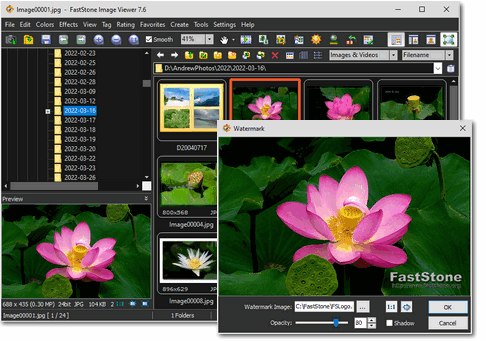
FastStone Image Viewer download gives you one of the most popular free image tools for Windows — a single program that browses, views, converts and edits your photos. This guide links straight to the official signed installer and explains every download option.
Why people choose FastStone Image Viewer
FastStone Image Viewer packs the work of several programs into one lightweight download. It opens almost any image, edits it on the spot, and manages whole folders of photos without slowing your PC — which is why it has stayed a favourite free viewer for years.
- Every common format: BMP, JPEG, HEIC, WEBP, GIF, PNG, TIFF, PSD, PDF and camera raw.
- Real editing: crop, resize, red-eye removal, colour and curve adjustment.
- True full-screen viewing: with fly-out toolbars and a one-click magnifier.
- Batch convert & rename: process hundreds of images in one pass.
- Slideshows: 150+ transitions with music support.
- Side-by-side compare: up to four images at once.
The full FastStone Image Viewer feature list covers everything in detail, from the healing brush to contact-sheet printing.
Free FastStone tools
Free for personal use · Windows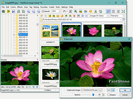
FastStone Image Viewer 8.5
An image browser, converter and editor that supports all major formats. Built for viewing, management, comparison, red-eye removal, emailing, resizing, cropping, colour adjustments and slideshows.
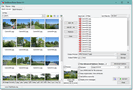
FastStone Photo Resizer 4.5
A batch converter and renaming tool for resizing, cropping, rotating, changing colour depth and adding text or watermarks to many images at once.
How to download and install
Getting set up takes under a minute and needs no account or sign-up:
- 1. Download: click the Windows button above to fetch the official installer, or open the download page for the portable option.
- 2. Run it: launch the installer and accept the defaults — nothing extra is bundled.
- 3. Open your photos: point the browser at a folder and start viewing right away.
- 4. Update later: run the newest installer over the top; your settings are kept.
If your workplace blocks .exe downloads, the ZIP installer and portable build on the download page solve that. There is no macOS or Linux edition — this is a Windows program that runs on everything from Windows XP to Windows 11.
At a glance
| Latest version | 8.5 (recommended) |
|---|---|
| Price | Free for personal & educational use · commercial licence available |
| Platform | Windows 11, 10, 8.x, 7, Vista, XP (32/64-bit) |
| Formats | BMP, JPEG, HEIC, WEBP, GIF, PNG, TIFF, PSD, PDF, camera raw and more |
| Install size | Lightweight — runs well on older PCs |
That mix of a genuine editor, broad format support and a tiny footprint is what keeps the free viewer on so many Windows PCs. When you are ready, the download page has every option, or browse the full feature guide first.
Is it safe to download?
Yes. The program is free of viruses and bundled adware when you get it from the official source. Every download button here points to the signed installer on faststone.org rather than a re-hosted copy — see our is FastStone safe guide for how to verify it yourself, or the FAQ for cost, formats and system requirements.
Common questions
Is FastStone Image Viewer free?
Yes. FastStone Image Viewer is free for personal and educational use. A one-time license is only needed for commercial use.
Which Windows versions are supported?
It runs on Windows 11, 10, 8.x, 7, Vista and XP. There is no macOS or Linux build.
Where does the download come from?
The download buttons link to the official signed installer on faststone.org — this guide never hosts the file itself.