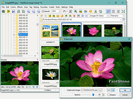
 FastStone
Is FastStone Free? Image Viewer FAQ
Is FastStone free? Yes — FastStone Image Viewer is free for personal and educational use. This FAQ answers the common questions people ask before downloading: cost, formats, system requirements, portable use and updates.
Is FastStone Image Viewer completely free?
For home, personal and educational use it is fully free, with no feature limits, no watermarks and no time limit. Only commercial use requires a one-time licence (around $34.95) which includes free upgrades for life. Its sibling FastStone Photo Resizer is free on the same terms.
What image formats does it open?
It handles all mainstream formats — BMP, JPEG, HEIC, WEBP, GIF, PNG, PCX, PSD, TIFF, WMF, ICO, TGA and PDF — plus camera raw files from most manufacturers. The full list is on the features page. This broad support is a big reason people set it as their default Windows viewer.
What are the system requirements?
Any PC running Windows 11, 10, 8.x, 7, Vista or XP. It is lightweight and fast even on older hardware, and there are 32-bit and 64-bit builds. There is no macOS or Linux version.
Is there a portable version?
Yes. Alongside the standard installer, a portable build runs from any folder or USB stick without installing and without writing to the registry — useful on locked-down or shared computers. Both are on the download page.
How is it different from FastStone Capture?
Image Viewer is the free photo browser, converter and editor covered here. FastStone Capture is a separate screen-capture and screen-recording tool that is a paid product after a trial. If you want to view and edit images, the Image Viewer is the one to download from the download page.
Does it need an internet connection?
No. Once installed, the viewer works entirely offline. There is no online activation, no account and no cloud dependency — every feature, from editing to batch conversion, runs locally on your PC. You only need a connection to download the installer or an update.
Does it support HEIC and camera raw files?
Yes. Current versions open HEIC (the format iPhones use) and WEBP, along with raw files from most camera makers — Canon, Nikon, Sony, Fujifilm, Olympus and others. This is one reason to stay on the latest 8.5 build: format support improves with each release, so older versions may not open the newest raw types. The full list is on the features page.
Does it install any ads, toolbars or extra software?
No. The official installer sets up only the viewer, with no bundled toolbars, "download managers" or advertising. That clean install is part of why it is trusted; just make sure you get it from the official source, as covered in is FastStone safe.
Can I run it without installing?
Yes. A portable version unpacks to any folder or USB drive and runs directly, writing nothing to the Windows registry. It is ideal for locked-down work machines or for carrying a configured copy between computers. You will find it alongside the installer on the download page.
Is the commercial licence a subscription?
No. Commercial use is covered by a one-time purchase — not a recurring subscription — and it includes free upgrades. For home, personal and educational use no licence is needed at all; the program is simply free.
How do I uninstall it?
If you used the installer, remove it like any Windows program through Settings > Apps (or the classic Control Panel). If you used the portable version, there is nothing to uninstall — just delete the folder, since it left no registry entries behind.
Does it work on Windows 11?
Yes. The current 8.5 build runs on Windows 11 and 10, and still supports 8.x, 7, Vista and XP for older machines. Both 32-bit and 64-bit systems are covered by the same installer, so you do not need to pick an architecture.
Can I set it as my default image viewer?
Yes. During or after install you can associate it with the image types you want it to open, or set it as the default in Windows Settings > Apps > Default apps. From then on, double-clicking a photo opens it in FastStone rather than the built-in Windows viewer.
Can it edit and convert RAW files?
It opens and converts raw files from most cameras, and you can apply its editing and batch tools to them — for example converting a folder of raw shots to JPEG with the Photo Resizer. For heavy raw development you would still use a dedicated raw editor, but for viewing, quick edits and conversion it does the job.
Where should I download it from?
Always from the official source. Every button on this guide links to the signed installer on faststone.org, and the download page lists the installer, ZIP and portable options. Avoiding random download portals is the single best way to keep the install clean.
How does it compare with other free viewers?
It sits in the same space as tools like IrfanView and XnView, and the choice usually comes down to feel. Where this one stands out is the polished full-screen viewing experience, the built-in editing and effects, and the rich slideshow engine — all in a single free download for personal use. Many people keep it as their default Windows viewer precisely because it covers viewing, light editing and batch work without needing a second program. See the full feature guide to judge for yourself.
Common questions
Is FastStone Image Viewer really free?
Yes, free for personal and educational use. Commercial use needs a one-time licence (about $34.95) that includes free upgrades.
What are the system requirements?
Any PC running Windows 11, 10, 8.x, 7, Vista or XP. The program is lightweight and runs well on older hardware.
How do I update to the latest version?
Download the current 8.5 installer and run it over your existing copy — your settings are kept. There is no separate updater to configure.